Custom business checks are checks that are designed and printed specifically for a particular business. These checks can be tailored to the unique needs and branding of the business and can include the company's name, logo, and other information. They are often used for paying bills, employees, and vendors, and can be an important tool for managing a business's finances.
Custom business checks can be designed to include all the necessary information that the business needs. This can include fields for memos or reference numbers or specific fields for tracking expenses. This can help businesses to keep accurate and organized records of their financial transactions, making it easier to manage their finances.
So how do business owners design their custom business checks?
The 7 Steps for Designing Custom Business Checks
Decide on the Layout and Style of the Check
First, decide on the layout and style of the check. This should be in line with the branding and image of the business. Consider the placement of the company name and logo, as well as the overall aesthetic of the check.
The layout decision starts with the check format, which determines the physical structure of the page and where every field, stub, and design element sits. The two main categories are manual business checks for handwritten payments and computer checks for printing from accounting software. Within those, the most common formats are:
- Check-on-top (voucher): The check occupies the top third of the sheet with one or two payment stubs below. The default format for QuickBooks Desktop and QuickBooks Online.
- Check-in-middle: The check sits in the center of the sheet with stubs above and below. Used by Sage 50 and Peachtree. Selecting check-on-top stock for a Sage workflow produces a full batch of misaligned, unusable checks.
- Three-per-page (3-on-a-page): Three checks per sheet with no voucher stubs. Common for high-volume AP and payroll check printing.
- Manual binder format: Handwritten checks in a 7-ring binder. No software required. See 7-ring check binders for compatible formats.
Lock in the format before making any visual design decisions. Everything else fits inside the format's fixed dimensions.
Determine the Information to Include on the Check
Next, determine the information that needs to be included on the check. This should include the payee's name, the amount of the check, the date, and any memo or reference fields that may be necessary.
What Information Must Every Custom Business Check Include?
Under ANSI X9 banking standards and the Check 21 Act, every US business check must contain these fields to be bank-processable:
- Business name and address (top left)
- Date line
- Payee line (Pay to the Order of)
- Numeric dollar amount box
- Written amount line
- Memo line
- Signature line
- ABA routing number and account number (the MICR line at the bottom)
- Check number
What Optional Fields Can You Add to a Custom Business Check?
Custom business checks can also include optional fields that the bank does not require but your business workflow benefits from:
- Second signature line: For businesses requiring dual authorization on payments above a certain threshold
- Invoice or reference number field: Lets AP staff record the invoice number directly on the check for reconciliation
- Custom memo prefix: Pre-printed text in the memo field such as "Re:" or "Acct #" to standardize payment records
- Phone or fax number: Sometimes added to the business address block
For a full breakdown of what each field on the check does and how to fill it out correctly, see how to write a business check and MICR line explained.
Choose Colors and Fonts for the Check
Choose the colors and fonts that will be used on the check. These should be consistent with the branding and image of the business and should be easy to read.
Where Should You Place Your Logo on a Custom Business Check?
The ANSI X9 banking standard defines a safe zone for logos at the upper-left corner of the check, sized between 1 and 1.5 inches wide, aligned with the business name and address block. This is the only area the standard explicitly reserves for branding without interfering with automated check processing. Do not place the logo over:
- The MICR line at the bottom of the check
- The routing number or account number
- The signature zone
- The dollar amount box
Banks read the MICR line for processing, not the logo. Logo placement affects presentation only. US banks accept custom logo checks under the Check 21 Act regardless of logo design, provided the MICR line is unobstructed and correctly encoded. See business checks with logo and how to design a logo on business checks for the full placement guide.
Should Your Logo Be Black and White or Full Color on a Check?
Black and white logo printing is the safer choice for legibility on check stock. Custom business check paper is a light-tinted security paper, not white photo paper. Background colors and security screen patterns on the check can interfere with logo colors, especially in lighter shades. Black and white logos print crisply on any security paper tint. Full color logos are available and look professional, but work best when the logo uses strong, dark, high-contrast colors. Checkomatic offers both B&W (free on every order) and full-color logo printing.
Add Security Features to the Check Design
Consider any security features that will be included in the check. This may include watermarks, holograms, or microprinting. These features can help to prevent check fraud and protect the business's financial information.
What Security Features Should Custom Business Checks Have?
ABA-compliant custom business checks should include six core security features. These are properties of the check paper and printing process, not of the visual design, and they remain fully intact regardless of what logo or color scheme is printed on top:
- Chemical-reactive paper: Stains visibly if check washing solvents are applied, revealing alteration attempts before a bank processes the check
- Microprinting: Tiny repeating text on the signature line that appears as a solid line to the naked eye but blurs on any photocopy or digital scan
- Void pantograph: VOID appears clearly when the check is photocopied or scanned, flagging counterfeits at the point of deposit
- Thermochromic ink (heat-sensitive): Disappears when pressed with a warm thumb, a standard bank teller authenticity test; reappears when cooled
- Coin-reactive ink: Changes appearance visibly when rubbed with a coin or metal edge
- Genuine foundry watermark: Visible from both sides of the paper under light; absent from non-certified check paper used in counterfeiting
How Does a Custom Logo Make Business Checks More Secure?
A custom logo adds a fraud deterrent beyond the six core security features. Counterfeiters tend to skip custom logo checks because reproducing a specific business logo accurately is significantly harder than copying a generic check stock pattern. Every custom check you issue carries a visual element that is unique to your business and difficult to replicate cleanly. Checkomatic includes free logo printing on every business check order alongside all six ABA-compliant security features at no additional cost.
For the complete security feature breakdown, see are business checks safe, check fraud prevention, and check washing guide.
For designer and custom pattern backgrounds that work alongside all six security features, see designer checks and custom check designs.
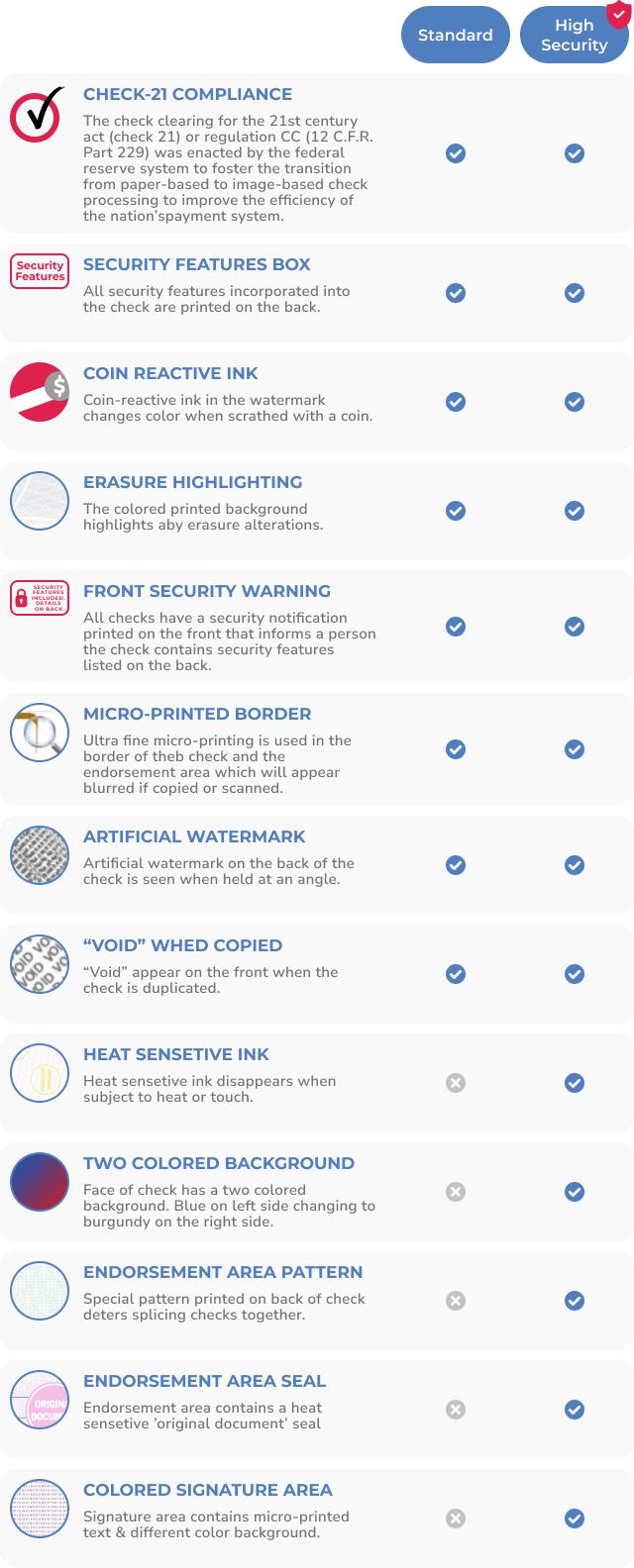
All six ABA-compliant security features are standard on every Checkomatic custom business check order, including orders with custom logos and color designs.
Choose the Right Paper for Your Custom Business Checks
Decide on the type of paper that will be used for the checks. This should be a high-quality, durable paper that will stand up to handling and processing.
Why Does Check Paper Matter for Custom Business Checks?
Custom business check paper is not a general printing choice. It is a compliance requirement. Banks process checks through automated systems governed by American Bankers Association (ABA) MICR standards and the ANSI X9.27 specification. The MICR line at the bottom of every check must be printed with certified magnetic iron oxide ink on paper certified to ANSI X9 standards so it can be read accurately by the bank's high-speed processing equipment. A check printed on non-certified paper or with non-compliant MICR encoding can be rejected as a technical return even when the account has sufficient funds. See check stock paper guide and MICR line explained for the technical details.
Checkomatic prints all custom check orders on CPSA-certified security paper in-house at its Monroe, NY facility. Every ABA routing number is verified against the Federal Reserve E-Payments Routing Directory before printing, eliminating the technical return risk caused by routing number or encoding errors. For software-compatible formats, see accounting software compatible checks, QuickBooks checks, and computer printable checks.
Proof and Test the Check Design Before Ordering
Once the design is complete, test the checks to ensure that they are legible and that all of the information is correct. This may involve printing a small number of checks and reviewing them for errors or issues.
What Are the Most Common Custom Business Check Design Mistakes?
After decades of check manufacturing, the same mistakes appear on first orders:
- Sending a low-resolution logo: A logo pulled from a website or social media profile is typically 72 DPI. Check printing requires 300 DPI minimum, or a vector file. A low-res logo prints blurry on every check in the order.
- Ordering the wrong format for your accounting software: Check-on-top for QuickBooks, check-in-middle for Sage. An entire batch of misaligned checks is unusable.
- Incorrect routing or account number: One digit wrong means every check in the batch routes incorrectly or is rejected. Verify both numbers against your bank statement before submitting your order, not from memory.
- Logo placed over the MICR line or signature zone: The ANSI X9 safe zone for logos is upper-left only. A logo anywhere else can interfere with bank processing or be flagged as a defective check.
- Skipping the proof review: Most check manufacturers send a digital proof before printing. Approving without reviewing the proof means catching errors only after the full order is printed.
- Starting check number sequence at 001: Starting at 001 on a new order can signal a new account to some payees and raises fraud flags at some banks. Start at 1001 or match the sequence of your previous order.
For first-time orders, Checkomatic offers starter packs that confirm your format and printer alignment before committing to a full quantity. Common proofing questions are answered at business checks FAQs.
Place Your Order for Custom Business Checks
Finally, place an order for the checks with a printer or check supplier. Be sure to provide them with the correct specifications and design files for the checks, and confirm the delivery date and shipping details.
When ordering from Checkomatic: select your check format, enter your business name, address, ABA routing number, and account number exactly as they appear on your bank account, upload your logo file (vector preferred, PNG at 300 DPI minimum), choose your quantity, and place your order. Checkomatic verifies the ABA routing number against the Federal Reserve E-Payments Routing Directory before printing. Standard orders ship in 3 to 5 business days from Monroe, NY. For the complete ordering walkthrough, see how to order checks and how to order checks online.
When Should You Reorder Custom Business Checks?
Reorder when you have approximately 20 percent of your current check supply remaining. Running completely out of checks disrupts payroll cycles, AP runs, and vendor payments while a new order is manufactured and shipped. Your accounting software's check number sequence makes it easy to monitor how many checks remain in the current batch.
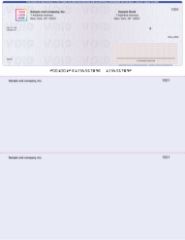
Check-on-top computer checks: the default QuickBooks format, available from Checkomatic with free logo printing and full ABA-compliant security features.
What to Order Alongside Your Custom Business Checks
Custom checks work best as part of a complete, consistent payment system. Once the design is finalized, matching accessories complete the professional presentation on both sides of the payment.
Check Envelopes
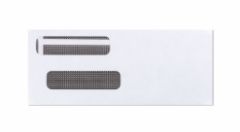
Check envelopes from Checkomatic, sized to fit both manual and computer custom business check formats.
A custom business check mailed in a matching check envelope presents a consistent, professional appearance to every vendor who receives a payment. Checkomatic envelopes are sized to fit both manual and computer check formats.
Endorsement Stamps for Check Deposits
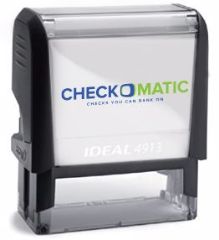
Self-inking endorsement stamps from Checkomatic, pre-printed with "For Deposit Only" and your account number for fast, consistent deposits of received checks.
When your business receives checks from customers or clients, an endorsement stamp pre-printed with your business name, "For Deposit Only," and your account number speeds up deposits and prevents misdirected funds. It completes the check workflow on both the issuing and receiving side.
Business Deposit Slips
Depositing received payments with matching business deposit slips that carry your account number creates a complete, organized paper trail for each deposit transaction.
Check Binders and Check Stock
For manual business checks, 7-ring check binders store and organize custom check stock in a professional, secure format. For businesses using accounting software, see the full range of compatible check stock paper and computer printable checks.
Visit Checkomatic.com to shop for Business Checks and follow us on Facebook, LinkedIn, and YouTube.
What Customers Say About Checkomatic
All reviews below are reproduced verbatim from checkomatic.com. Source: checkomatic.com/quickbooks-starter-pack-product, 4.5 stars from 166 verified reviews.
"Been with them for 15 years. Always reliable, always good quality, good service. What more can you ask for?"
"I got 500 checks for less than half of what the bank wanted for 200!"
"We use CheckoMatic for all of our check needs! They have great prices and we receive our products in a timely manner!"
"ASJ Wilson Construction has been a client of checkomatic for some years now and they've never disappointed this company. Thank you checkomatic for all that you do."
"First time ordering and I am super impressed with the quality of the checks. No issues with delivery. I will be ordering again!"
"Affordable and efficient. My go-to business check printer."