Quick Answer: The four main business check types are manual checks (handwritten, no printer), computer checks (printed by accounting software), QuickBooks checks (computer checks pre-formatted for QuickBooks), and personal checks (individual use only, not for registered businesses). Choose manual for low volume or field use, computer checks for 20 or more payments per month, and QuickBooks checks if you use QuickBooks for accounting. For the full range, see business checks.



-
 Contact Us
 -
 Re order
 -
 Log in
 -
 Cart 0
 You have no items in your shopping cart.
How-To Determine Which Business Check Type Is Ideal for Business Owners
Business checks are an important financial tool for business owners, as they provide a secure and reliable way to make payments. Writing a check allows a business owner to authorize a certain amount of money to be withdrawn from their bank account and transferred to the recipient of the check. This is useful for a variety of purposes such as paying bills, making purchases, or compensating employees. Additionally, business checks also provide a way for business owners to keep track of their expenses, by creating records of payments that can be easily referenced later on, it can be a helpful tool for budgeting, tax reporting, and also for maintaining good accounting records.
Furthermore, business checks also help to establish credibility for the business as it projects a professional image and helps build trust with vendors, suppliers, and other parties. Additionally, using a business check can avoid many problems that may occur when using personal checks or cash, such as lack of documentation, it can help to protect against fraud or errors and it also could be easier to reconcile with the bank statement at the end of each month. Overall, having a separate checkbook for business transactions can help business owners to stay organized, save time and help their business to run more smoothly.
Although, when it comes to determining which business check type is ideal for business owners, there are a few factors to consider.
- Manual checks, also known as hand-written checks, are physical checks that are filled out by hand. These types of checks are typically used for small, infrequent transactions and are often considered to be the most secure form of a check. However, manual checks can be time-consuming to write and are prone to errors, so they may not be the best option for businesses that make frequent payments.
- Computer checks, also known as laser checks or printed checks, are checks that are printed using a computer and printer. These types of checks are often preferred by businesses that make frequent payments because they can be printed quickly and easily, and they reduce the risk of errors. However, computer checks are typically more expensive than manual checks, and businesses will need to invest in check-printing software and a compatible printer.
- QuickBooks checks are checks that are specifically designed to be used with the QuickBooks accounting software. These types of checks are pre-printed with the business's information and can be easily filled out and printed directly from within the software. This makes them a convenient option for businesses that use QuickBooks for their accounting needs.
- Personal checks are those that can be used by a person only. They are not designed for business use. Most financial institutions do not allow using personal checks for business transactions as it could cause problems for both businesses and the bank.
Ultimately, the ideal type of business check will depend on the specific needs of the business. Business owners should consider factors such as the frequency of payments, the risk of errors, and budget constraints when deciding which type of check to use. Additionally, consulting with an accountant or financial advisor before making a final decision could be a good idea.
Which Business Check Type Is Right for Your Business: Quick Decision Guide
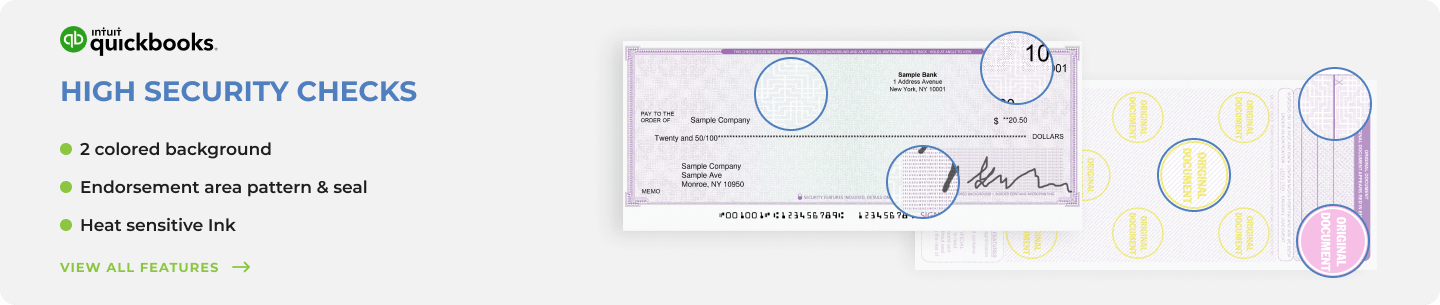
Checkomatic business check types, manual and computer formats for every business payment situation.
The original article correctly identifies the four main types. The decision between them depends primarily on three questions: how many checks do you write per month, do you use accounting software, and do you need to write checks away from the office? This table puts those factors together.
| Your Situation | Best Check Type | Why | Checkomatic Link |
|---|---|---|---|
| Fewer than 20 checks per month, no accounting software | Manual checks | No printer setup, lower cost, works anywhere | Manual business checks |
| 20 or more checks per month, using any accounting software | Computer checks | Faster, auto-records in software, reduces errors | Computer checks |
| Using QuickBooks Desktop or QuickBooks Online | QuickBooks checks | Pre-formatted for QuickBooks default print templates | QuickBooks checks |
| Paying employees with an earnings stub | Payroll checks | Pre-formatted stub for gross pay, deductions, net pay | Business checks for payroll |
| Writing checks in the field, at job sites, or on the go | Manual deskbook or pocket checks | No printer needed, portable, works anywhere | Executive deskbook checks |
| Individual personal payments only (not for registered business) | Personal checks | For personal accounts only , not for LLC, Corp, or business use | Personal checks |
For the complete comparison of manual and computer check formats with detailed volume guidance, see computer checks vs manual checks: which fits you?
Computer Check Sub-Formats: Which Layout Does Your Software Use?
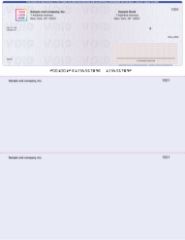
Check-on-top computer business check from Checkomatic, the most common format for QuickBooks and general AP use.
Once you decide on computer checks, you need to choose the correct sub-format. The format must match your accounting software's print template exactly. Ordering the wrong sub-format produces checks with misaligned fields that cannot be used.
Check on Top (Voucher)
The check prints at the top of the 8.5 x 11 sheet with two perforated voucher stubs below. One stub goes to the vendor or employee. The second stays in your files. This is the default format for QuickBooks Desktop, QuickBooks Online, and Quicken. If your accounting software prints checks with the check at the top, this is your format. See check-on-top business checks.
Check in Middle
The check prints centered on the sheet with one stub above and one below. Used by Sage 50, Peachtree, and some Deltek configurations. See check-in-middle business checks.
Check on Bottom
The check prints at the bottom with two stubs above. Used for payroll layouts where the earnings stub detail is the first thing visible when opening the envelope. See check-on-bottom business checks.
3-on-a-Page
Three checks per sheet with no voucher stubs. Used for high-volume AP where stub records are maintained in accounting software rather than on paper. See 3-on-a-page business checks.
For all computer check formats and accounting software compatibility, see accounting software compatible business checks.
Manual Check Sub-Types: Which Format for Which Payment
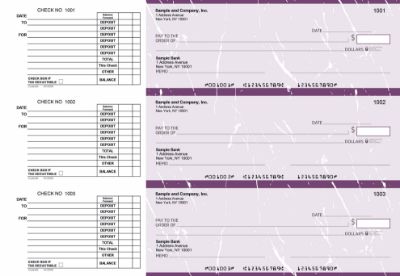
Manual AP checks from Checkomatic, the handwritten format for vendor and supplier payments without accounting software.
Manual checks are not one-size-fits-all. Checkomatic offers six manual check formats for different business payment situations.
- Accounts Payable (AP) 3-on-page: For vendor and supplier payments with handwritten stub detail. See manual 3-on-page accounts payable business checks.
- Payroll 3-on-page: For employee wages with an earnings stub documenting pay period, hours, deductions, and net pay. See manual 3-on-page business payroll checks.
- Multi-Purpose 3-on-page: Flexible stub for mixed AP and payroll use from one checkbook. See manual 3-on-page multi-purpose business checks.
- Executive Deskbook: Compact, portable format for field payments at job sites, client meetings, or court. See executive deskbook manual business checks.
- Pocket Checks: Wallet-sized portable format for on-the-go occasional payments. See manual business pocket checks.
QuickBooks Check Formats: Matching the Right Format to Your Workflow
QuickBooks business check starter pack from Checkomatic, pre-formatted for QuickBooks Desktop and Online print templates.
QuickBooks checks are computer checks with field positions that match QuickBooks' default print templates exactly. This prevents the misalignment problems that occur when standard computer checks are used with QuickBooks templates that expect different field positions.
Checkomatic QuickBooks checks come in three formats:
- Check on Top (Voucher): The QuickBooks default for both QBD and QBO. Used for AP and payroll.
- 3-on-a-Page (Standard): Three checks per sheet for high-volume AP without stubs.
- Wallet: Compact format for sole proprietors or low-volume portable use.
Checkomatic QuickBooks checks are also compatible with Quicken, MYOB, and other accounting platforms that share the same print template dimensions. For the full QuickBooks check range, see QuickBooks checks. For QuickBooks-specific help with software setup, see business check FAQs.
Security Features on Every Checkomatic Business Check
Regardless of which business check type you choose, every Checkomatic business check includes six ABA-compliant security features as standard on every order:
- Chemical-reactive paper: Stains visibly when washing solvents are applied, revealing any alteration attempt before the bank processes the check.
- Microprint signature line: Tiny repeating text that blurs on any photocopy, flagging reproductions.
- Void pantograph: Background pattern that makes VOID appear clearly when the check is photocopied or scanned.
- Heat-sensitive ink: Disappears when pressed with a warm thumb, a standard bank teller authenticity test.
- Coin-reactive ink: Changes appearance when rubbed with a hard metal object.
- True watermark: Visible from both sides under light, absent from counterfeits.
For the complete check fraud prevention guide, see are business checks safe: security features that actually matter.
Visit Checkomatic.com to shop Business Checks and follow us on Facebook, LinkedIn, and YouTube.
What Customers Say About Checkomatic
All reviews below are published on checkomatic.com and reproduced verbatim. Source: checkomatic.com/quickbooks-starter-pack-product, 4.5 stars from 166 verified reviews.
"Been with them for 15 years. Always reliable, always good quality, good service. What more can you ask for?"
ATV Inc. | ★★★★★ 5/5 | April 5, 2024 | Source: checkomatic.com/quickbooks-starter-pack-product
"First time ordering and I am super impressed with the quality of the checks. No issues with delivery. I will be ordering again!"
TClinton | ★★★★★ 5/5 | April 9, 2025 | Source: checkomatic.com/quickbooks-starter-pack-product
"We use CheckoMatic for all of our check needs! They have great prices and we receive our products in a timely manner!"
CG's Tax Service | ★★★★★ 5/5 | September 18, 2024 | Source: checkomatic.com/quickbooks-starter-pack-product
"I got 500 checks for less than half of what the bank wanted for 200!"
VVA Voucher Checks (Vietnam Veterans of America) | ★★★★★ 5/5 | July 6, 2024 | Source: checkomatic.com/quickbooks-starter-pack-product
"ASJ Wilson Construction has been a client of checkomatic for some years now and they've never disappointed this company. Thank you checkomatic for all that you do."
ASJ Wilson Construction | ★★★★★ 5/5 | June 6, 2024 | Source: checkomatic.com/quickbooks-starter-pack-product
"Affordable and efficient. My go-to business check printer."
Doe | ★★★★★ 5/5 | January 24, 2025 | Source: checkomatic.com/quickbooks-starter-pack-product
Frequently Asked Questions
What are the main types of business checks?
Manual checks (handwritten), computer checks (printed by accounting software), QuickBooks checks (computer checks pre-formatted for QuickBooks), and personal checks (individual use only, not for registered businesses). Within computer and manual formats there are sub-types including check-on-top, check-in-middle, payroll, and AP formats. See all options at business checks.
Should a business use manual checks or computer checks?
Manual for fewer than 20 checks per month or field use. Computer checks for 20 or more checks per month or any business using accounting software. For a full comparison, see computer checks vs manual checks: which fits you?
What is the difference between computer checks and QuickBooks checks?
Computer checks is the general category. QuickBooks checks are specifically formatted to match QuickBooks' default print templates. All QuickBooks checks are computer checks, but not all computer checks are pre-formatted for QuickBooks. See QuickBooks checks.
Accepted by the world’s leading banks