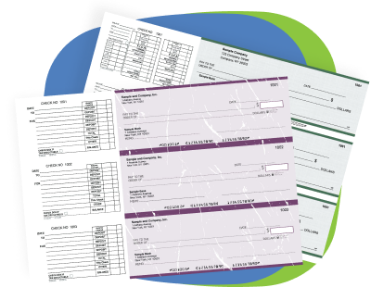
QuickBooks deposit slips from Checkomatic are printable deposit slips formatted to print directly from QuickBooks software. Each slip accepts up to 18 line entries per deposit run, with perforated stubs for record keeping. Your bank name, routing number, and account number are pre-printed on every slip before the order ships. QuickBooks outputs the deposit detail at print time. Available in singles, duplicates, and triplicates. ABA-formatted for automated bank processing. Accepted at all major US banks and financial institutions without issue.
What Are QuickBooks Deposit Slips and How Do They Work?
QuickBooks deposit slips are pre-printed deposit forms specifically designed to receive output from QuickBooks's Make Deposits function. When you finalize a deposit in QuickBooks and print the deposit slip, the software fills in the payee names, check amounts, and total onto the pre-formatted slip. Your account details are already on the paper. The result is a clean, accurate, bank-ready deposit slip that goes to the teller or the bank's automated processing equipment with no handwritten account information.
Each QuickBooks deposit slip accommodates up to 18 line entries per slip. That means deposits combining multiple checks, cash, and credit card batches can all be captured on a single slip rather than requiring a second sheet. For businesses making daily or weekly deposits with multiple payment sources, this is a practical time saver.
QuickBooks software is required to print the variable deposit data. The slip itself is pre-formatted to align with QuickBooks's deposit slip print template. You load the slips into your printer, finalize the deposit in QuickBooks, and print. The format does the rest.
QuickBooks 2014 and Other Versions: Does Check Number Print on the Deposit Slip?
This is one of the most searched questions connected to QuickBooks deposit slips. The check number field on a QuickBooks deposit slip is populated by whatever information is entered in QuickBooks when you record the incoming payment. If the check number was entered into the payment record at the time of receipt, QuickBooks will include it when printing the deposit slip. If the field was left blank during data entry, it won't appear on the printed slip.
This behavior has been consistent across QuickBooks versions from 2014 onward. It's not a slip formatting issue. It's a data entry issue on the QuickBooks side. If check numbers are appearing blank on your printed deposit slips, the fix is in your QuickBooks payment recording process, not the slip stock.
Checkomatic's QuickBooks deposit slips are compatible with all versions of QuickBooks Desktop (Pro, Premier, Enterprise) and QuickBooks Online. The formatting aligns with all current and legacy QuickBooks deposit slip print templates.
QuickBooks Printable Deposit Slips: Singles, Duplicates, or Triplicates?
Checkomatic carries QuickBooks deposit slips in three configurations. Singles are the standard format, one slip per deposit with no copy. Duplicates produce two carbonless copies simultaneously, one for the bank and one for your financial records. Triplicates produce three copies, useful when deposit records need to reach more than one recipient, such as a business owner, a bookkeeper, and a bank copy all at once.
All three configurations come with perforated stubs for record keeping. The stubs stay in your book after the slip is torn out, giving you a sequential record of every deposit made. If you also use pre-printed standard deposit slips for accounts that don't run through QuickBooks, those are available on the business deposit slips page.
Why Checkomatic for Accurate Bank-Ready QuickBooks Deposit Slips
Checkomatic manufactures and ships deposit slips direct from Monroe, NY. Every QuickBooks deposit slip is formatted to ABA specifications, which is what all US banks use for automated processing. The slips are accepted at Chase, Bank of America, Wells Fargo, Capital One, and every major US financial institution. No bank delays, no manual re-entry required at the teller.
Standard shipping is 3 to 5 business days with rush options at checkout. Bulk discounts apply at higher quantities. For the full deposit slip range including standard pre-printed slips for non-QuickBooks accounts, browse the deposit slips category. For QuickBooks checks to pair with your deposit slips, browse QuickBooks checks. For matching double window envelopes, browse check envelopes.
If QuickBooks is handling your deposit workflow, these slips are formatted to finish the job cleanly at the bank.



 Contact Us
  Re order
  Log in
  Cart 0