Overview of QuickBooks Checks
Businesses that switch from writing checks on normal bank security paper to using Quickbooks Checks dramatically reduce the chances for check fraud to occur. The statistics of check fraud happen to one in four businesses, and by using the Quickbooks check system will eliminate the chances of losing money.
Types of Quickbooks Checks
When businesses use Quickbooks Checks, there are two types of checks to choose from. There are the normal voucher checks which provide many security features, and there are the Secure Plus checks that offer nine additional security features. These checks are specifically designed for printing checks with the Quickbooks program. Business owners are also able to purchase any type of voucher checks to print on. These checks will not have the many security features as Quickbooks Checks. The voucher checks with fewer features will create a higher risk in check fraud; so it may be worth the money to purchase the original checks with increased features.
Related guide: why business checks remain an everyday essential for owners.
Browse the full range of QuickBooks checks at Checkomatic including voucher, 3-on-page, and wallet formats.
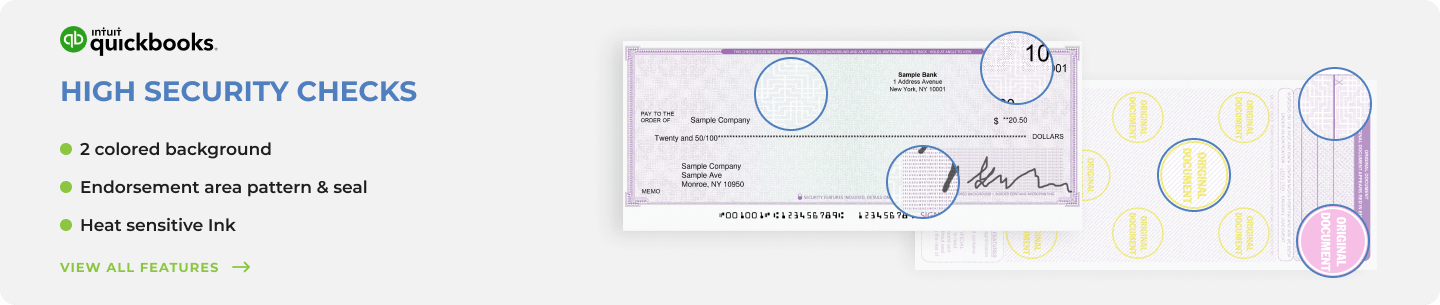
Quickbooks Checks Security Features
The standard Quickbooks Checks have thirteen security features that are embedded in the paper. These checks are able to be used in both business and personal use.
There are four features that stand out that these checks provide to users.
- The paper will react if someone uses an ink eradicator chemical on it; which makes it difficult to alter the check without detection.
- There is micro printing on the back of the check so small; it looks like tiny broken lines with the human eye. However, if this check is copied, the printing will come out blurry.
- Quickbooks Checks contain a high resolution border that has many different gradients of color so it is almost impossible to reproduce.
The Secure Plus Quickbook Checks offer nine additional features to the thirteen that the standard voucher checks offer.
There are five features that will deter any check fraud out there.
- When looking at the check paper, there are fibers that are visible with the naked eye. Scam artists will not be able to reproduce these fibers when duplicating these checks.
- There is a Check Lock custom pantograph on the front of each check, which produces a word all over the check in order to prevent fraud.
- Another great feature these checks offer is embedded fluorescent fibers that detectable when under UV light. These fibers will not be picked up if someone copies the check.
- There is an exclusive watermark that Quickbooks Checks have embedded in the paper that will show up if it gets wet. The watermarks will not be picked up on a copy of the check.
- There is a security weave on the back that is impossible to duplicate through copying. Business owners are now able to protect their companies through the use of Quickbooks Checks. These checks have more features than an ordinary voucher check has in order to prevent check fraud.
The Core Business Benefits of QuickBooks Checks
The benefits of QuickBooks checks extend far beyond fraud protection into how your business handles time, money, and accounting accuracy. These are the core reasons businesses that discover the benefits of QuickBooks checks rarely go back to handwritten checks or standard bank checks.
Save Time on Every Payment Run
Printing checks from QuickBooks takes seconds per check. Handwriting the same check takes 3 to 4 minutes including the stub. For a business processing 30 payments per month, that difference adds up to roughly 11 hours per year recovered. For payroll runs with 20 or more employees, the time saved per cycle is immediate and measurable.
QuickBooks automatically pulls the payee name, payment amount, date, and account codes from the transaction record and prints them directly onto the check stock. There is no re-entering data and no risk of transcription errors between your accounting system and the check itself.
Eliminate Data Entry Errors
When you write a check by hand and then enter it into QuickBooks separately, you have two chances to make an error: once when writing and once when entering. QuickBooks checks eliminate the second step entirely. The software prints what it already has on record. The transaction is logged the moment you print. No duplicate entry, no transposition errors, no forgotten entries at month end.
Automatic Reconciliation in QuickBooks
Every check printed through QuickBooks is automatically recorded in your accounts payable or payroll register. At month-end reconciliation, your QuickBooks register matches your bank statement without needing to manually cross-reference a physical check register. This is one of the most significant time-saving benefits for any business with a bookkeeper or accountant managing the books.
Save 50 to 70 Percent Versus Bank Checks
Banks route business check orders through third-party printers on batched schedules and apply retail markup. Direct-manufacturer pricing from Checkomatic is 50 to 70 percent lower than bank retail for equivalent QuickBooks check stock. Free black-and-white logo printing is included on every order at Checkomatic regardless of quantity, which would typically cost an additional $25 to $50 through a bank program.
Free Logo Printing and Full Customization
Every QuickBooks check order from Checkomatic includes free black-and-white logo printing. Full-color logo printing is available as an upgrade. You can also choose from over 20 background color options, add an extra signature line for dual authorization requirements, and select your security level. The result is a professional-looking, fully branded check that represents your business properly on every payment.
Compatible With All QuickBooks Versions and Other Software
QuickBooks checks from Checkomatic are compatible with QuickBooks Desktop (Pro, Premier, Enterprise, Accountant), QuickBooks Online, QuickBooks Self-Employed, QBConnect, Quicken, MYOB, and over 500 other accounting platforms. If your software is not listed, Checkomatic's team can custom format the checks at no extra charge. Every check meets and exceeds ABA (American Bankers Association) specifications and is accepted by all major US banks. For more on routing numbers and bank compatibility, see our ABA routing number guide.
Three QuickBooks Check Formats Explained
There are three QuickBooks check formats available from Checkomatic. The right format depends on how you use QuickBooks for payroll and vendor payments. For a complete explanation of which format fits your workflow, see our QuickBooks-compatible checks guide.
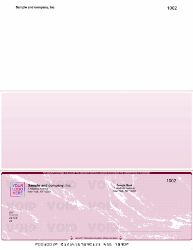
Voucher Checks (Check on Top)
One check at the top of the page with two perforated stubs below. The check goes to the vendor or employee. One stub travels with the payment showing invoice or payroll detail. The second stub stays in your records. This is the default QuickBooks format and is the most commonly ordered. It is the correct format for businesses running payroll or paying vendors where remittance detail matters. Browse voucher checks at checkomatic.com/computer-checks.
Standard 3-on-a-Page Checks
Three full-size checks per sheet with no stubs. All payment records stay inside QuickBooks. This format costs less per check than voucher because you get three checks per sheet. It is the right choice for businesses with high AP volumes where all reconciliation is done digitally and vendors do not need a physical remittance stub.
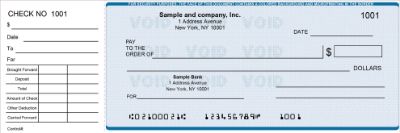
Wallet Checks
Three smaller personal-size checks per sheet. Designed for low-volume check writing where portability matters. Sole proprietors and service businesses that write occasional checks find this format practical. Not recommended for payroll because there is no stub for pay detail.
For complete payroll check guidance including stub requirements by state, see our business checks for payroll guide. For the full business check range including manual options, see checkomatic.com/business-checks.
Who Benefits Most From QuickBooks Checks
While any QuickBooks user benefits from using compatible check stock, the return on switching is highest for specific business types.
Small Businesses Running Payroll Through QuickBooks
If your payroll is calculated in QuickBooks Payroll or a connected payroll service, QuickBooks checks are the natural output. The software calculates each employee's net pay and prints it on the check and stub in one step. The payroll record and the check are the same entry. State pay stub requirements are satisfied because the stub carries all deduction detail. For payroll-specific check guidance, see our business checks for payroll guide.
Accounts Payable Teams Using QuickBooks for Vendor Payments
When a bookkeeper manages AP through QuickBooks, printing checks from the Pay Bills or Write Checks screen logs every transaction automatically. The voucher stub tells the vendor which invoice was paid. The AP register updates in real time. Month-end reconciliation requires no additional manual steps.
Businesses Switching Away from Bank-Issued Checks
Businesses that currently order checks through their bank are almost paying 50 to 70 percent more than they need to. Switching to Checkomatic for QuickBooks-compatible check stock requires no changes to QuickBooks settings and delivers the same bank-clearing quality at a significantly lower price per check. For more on manual versus computer check options, see our manual checks guide as well.
What Customers Say About Checkomatic QuickBooks Checks
All reviews below are published on checkomatic.com and reproduced verbatim. Source: checkomatic.com/quickbooks-starter-pack-product, 4.5 stars from 166 verified reviews.
"As a small business we use QuickBooks online for our software and needed business checks to use with our program. Checkomatic checks work perfect and are much cheaper than ordering checks through Intuit QuickBooks."
Verified Buyer | ★★★★★ 5/5 | Source: checkomatic.com/quickbooks-starter-pack-product
"I got 500 checks for less than half of what the bank wanted for 200!"
VVA Voucher Checks (Vietnam Veterans of America) | ★★★★★ 5/5 | July 6, 2024 | Source: checkomatic.com/quickbooks-starter-pack-product
"Been with them for 15 years. Always reliable, always good quality, good service. What more can you ask for?"
ATV Inc. | ★★★★★ 5/5 | April 5, 2024 | Source: checkomatic.com/quickbooks-starter-pack-product
"We use CheckoMatic for all of our check needs! They have great prices and we receive our products in a timely manner!"
CG's Tax Service | ★★★★★ 5/5 | September 18, 2024 | Source: checkomatic.com/quickbooks-starter-pack-product
"First time ordering and I am super impressed with the quality of the checks. No issues with delivery. I will be ordering again!"
TClinton | ★★★★★ 5/5 | April 9, 2025 | Source: checkomatic.com/quickbooks-starter-pack-product
"Affordable and efficient. My go-to business check printer."
Doe | ★★★★★ 5/5 | January 24, 2025 | Source: checkomatic.com/quickbooks-starter-pack-product
Why Choose Checkomatic for QuickBooks Checks
In-House Manufacturing Since 1997
All QuickBooks checks are manufactured at Checkomatic's own facility in Monroe, NY. Your banking information never passes through third-party print vendors. Every order includes MICR encoding pre-verified against the Federal Reserve E-Payments Routing Directory before printing begins.
Security at Every Level
Standard QuickBooks checks include thirteen security features. The Secure Plus option adds nine more for businesses requiring maximum fraud protection. Both levels are available at Checkomatic. Every check meets and exceeds ABA specifications.
Free Logo, 20 Color Options, Extra Signature Lines
Black-and-white logo printing is free on every order regardless of quantity. Full-color logo printing is available as an upgrade. Over 20 background color options. Extra signature lines available for dual-authorization requirements.
Compatible With All QuickBooks Versions
QuickBooks Desktop Pro, Premier, Enterprise, Accountant, QuickBooks Online, QuickBooks Self-Employed, QBConnect, Quicken, MYOB, and over 500 other platforms. The check dimensions and MICR placement are calibrated to match QuickBooks default print templates, minimizing alignment adjustment.
3 to 5 Business Day Turnaround
Standard orders ship in 3 to 5 business days from Monroe, NY. Rush and SuperRush options available for urgent payroll and AP needs. Full details at checkomatic.com/quickbooks-checks.